There's a lot of conflicting information out there when it comes to
the best habits for charging a smartphone's battery, so let's clear some
of that up right off the bat. Lithium ion batteries (the type used in
most modern electronics) start to lose their ability to hold a charge
over time, and the two biggest factors that contribute to this are excess heat and overcharging.
In
a cruel twist of fate, the act of charging your phone's battery causes
it to heat up, and topping it off to 100% charge contributes to reduced
capacity over time. To be more specific, ResearchGate found
that charging a battery to only 85% yielded a longer lifespan than
charging to the full 100%. This is not even getting into the whole Note7 exploding battery fiasco — which, by the way, Samsung once tried to remedy by issuing an update that limited the phone's battery to 60 percent.
Knowing that charging to a full 100% isn't the best practice for long-term battery health, developer harsha1397 created a root
app that lets you choose your own charging limit. It's not compatible
with every device, but if it works for yours, you can simply set a
percentage, then your phone will automatically stop charging once it
hits that threshold.
Requirements
rooted Android device
Android 4.4 or higher
"Unknown sources" enabled
Step 1See if This Mod Will Work on Your Phone
First
up, you'll need to make sure this app will work with your particular
device. To do that, start by plugging your phone into a charger. From
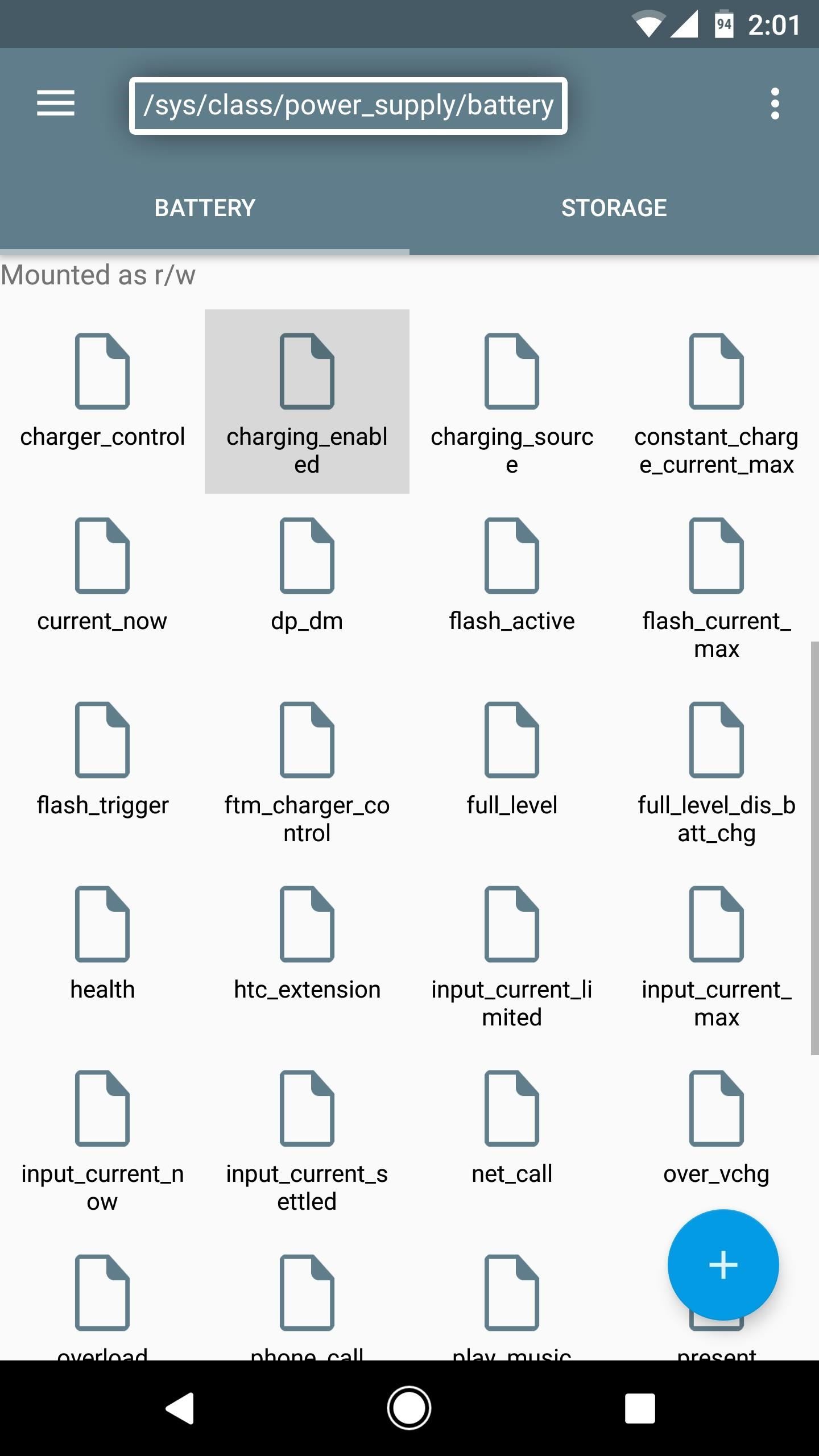
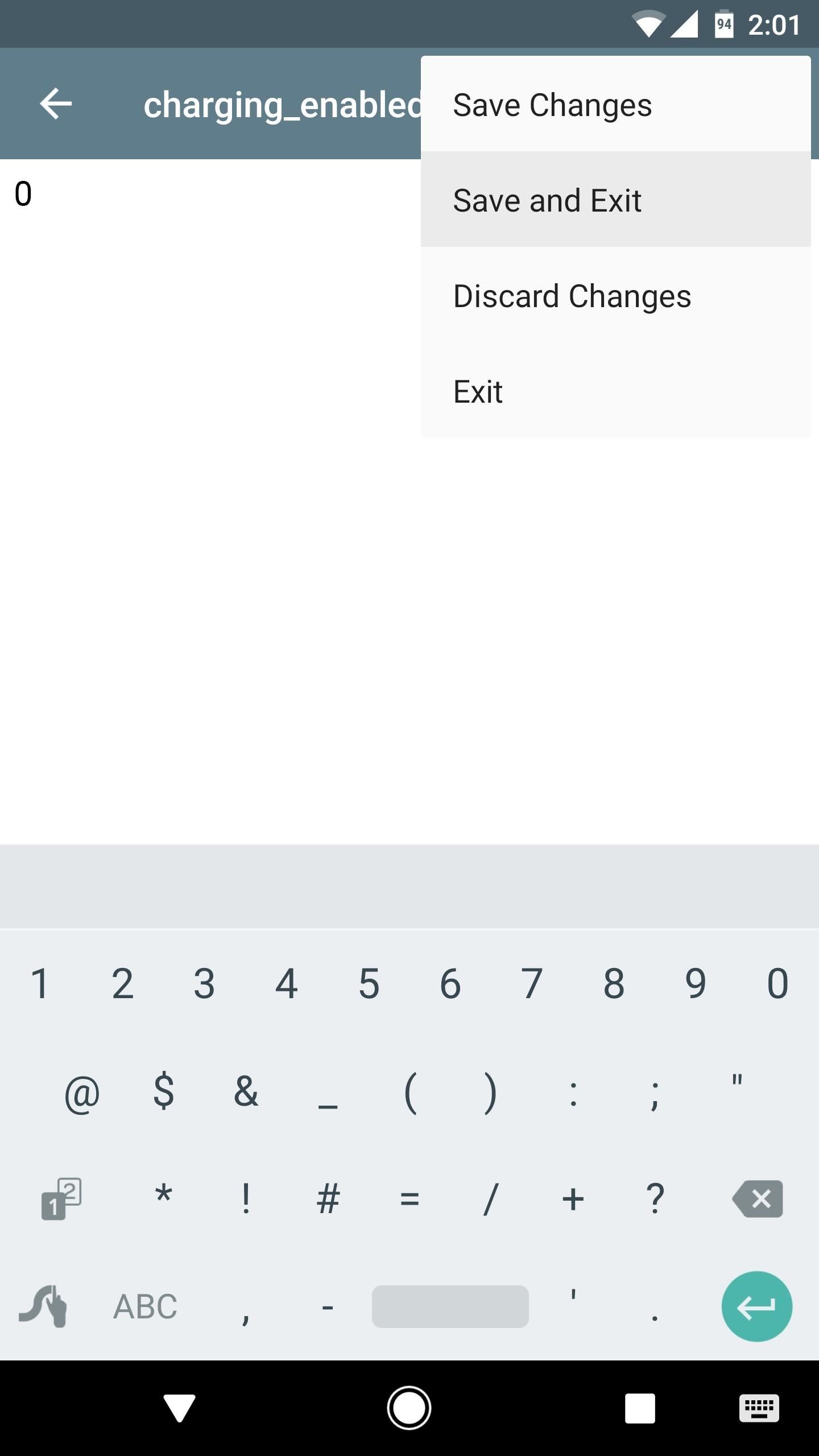
there, open your favorite root file browser, then navigate to the /sys/class/power_supply/battery folder. Next, open the charging_enabled file with a text editor, delete the number 1, and then replace it with the number 0. When you're done there, save the file.
At
this point, your phone should stop charging, so head to your battery
menu to verify. If the device continues to charge, it's not compatible
with this app.
Once you're done with this quick test, make sure to restart your phone. This will reset the number in the charging_enabled file back to 1.
Step 2Install Battery Charge Limit
Now
that you know your phone is compatible, it's time to install the app.
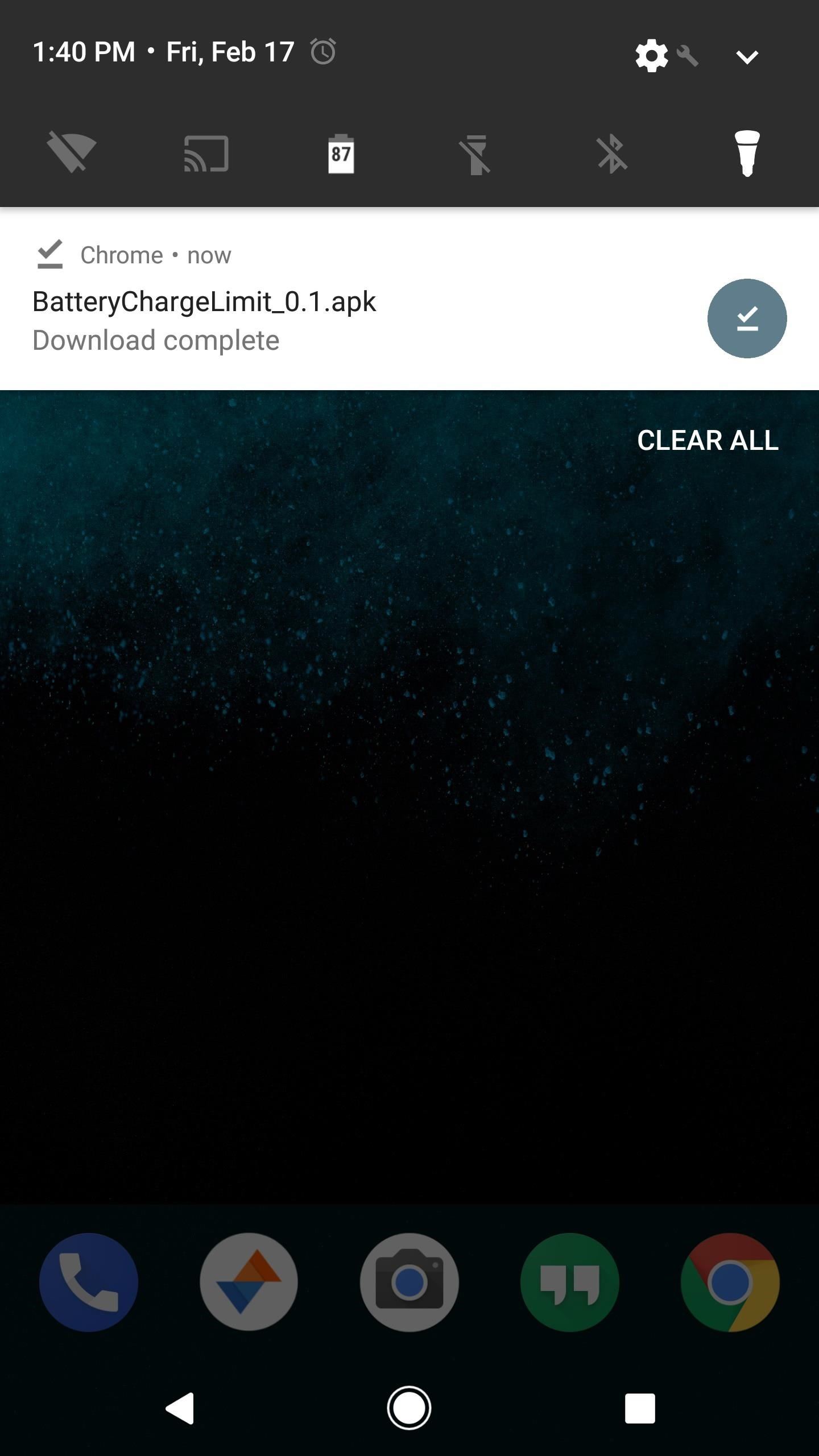
To do that, grab the APK from the following link, then tap the Download complete notification and press "Install" when prompted.
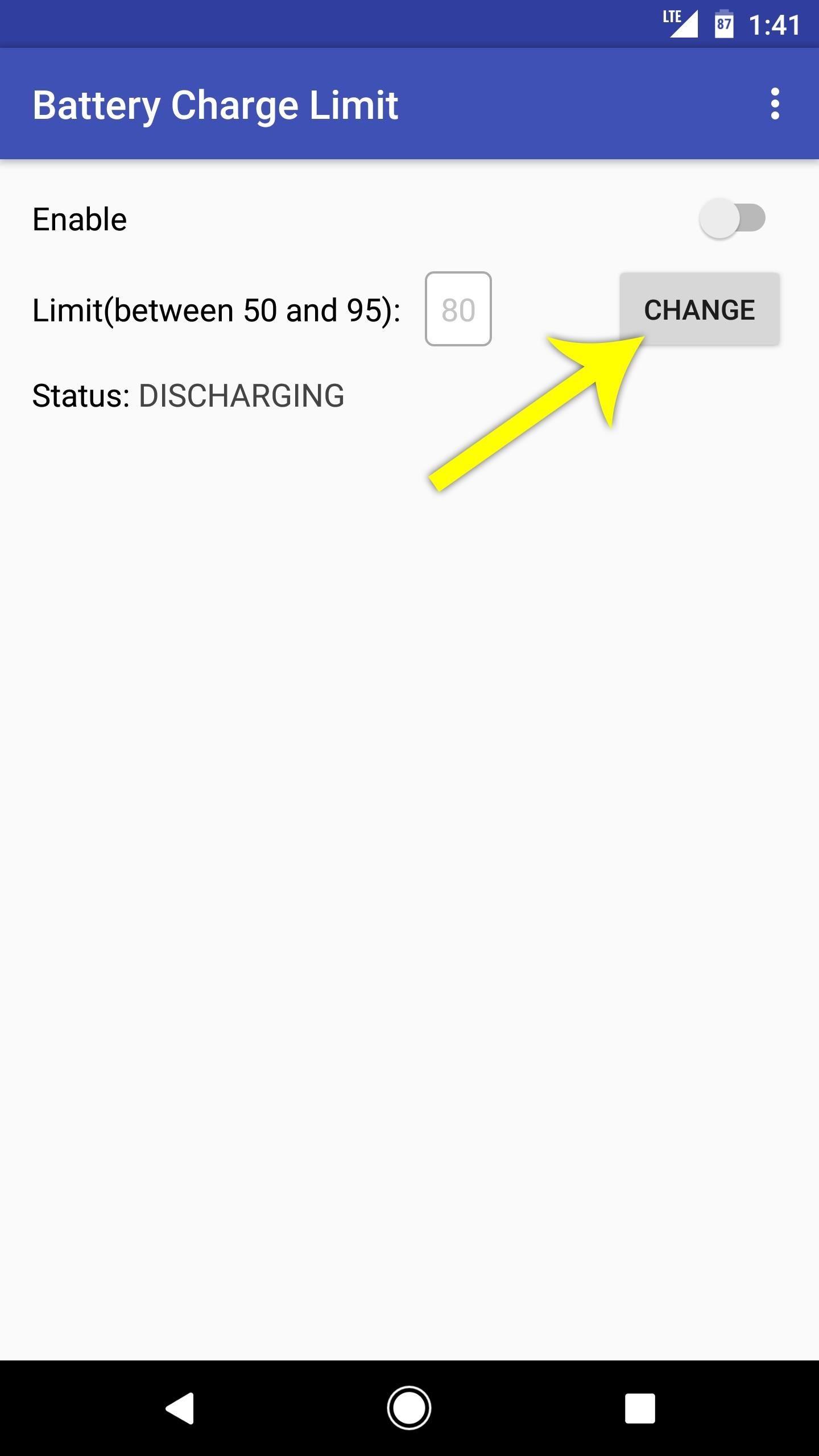
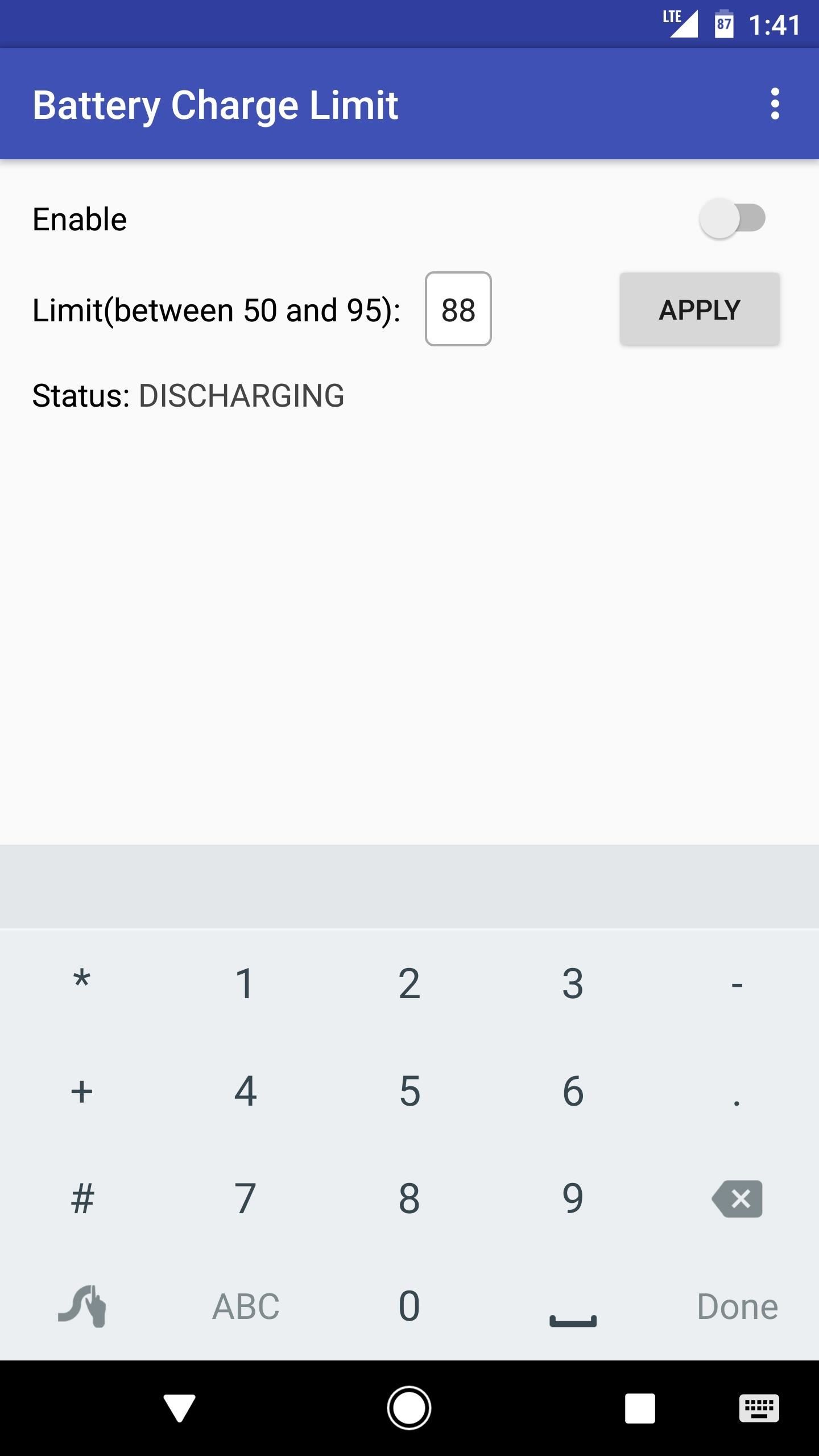
Next, open the app, then tap the "Change" button next to the Limit
entry. From here, type in a percentage between 50 and 95 (this is when
your battery will stop charging), then press the "Apply" button.
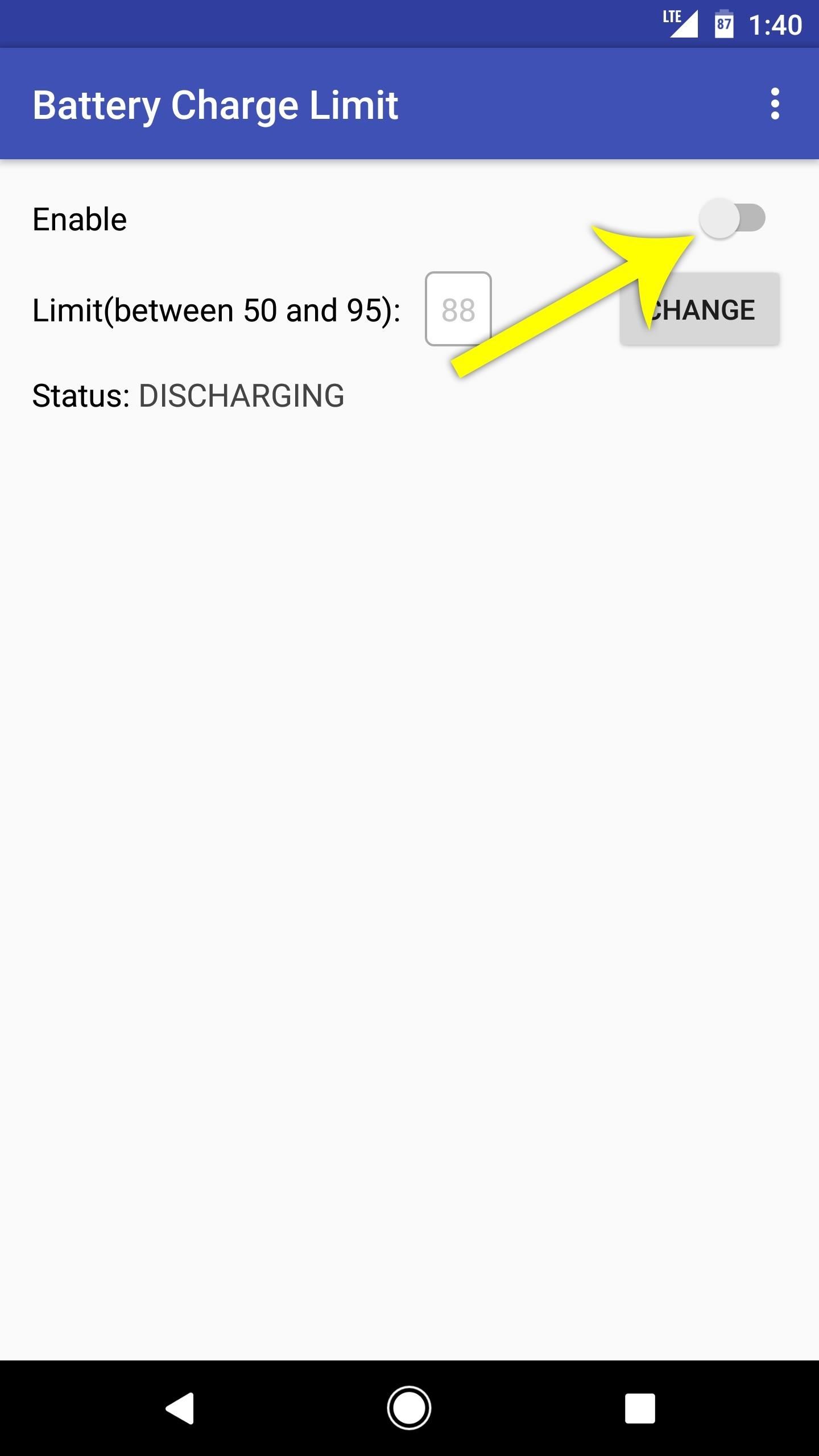
Toggle the Enable
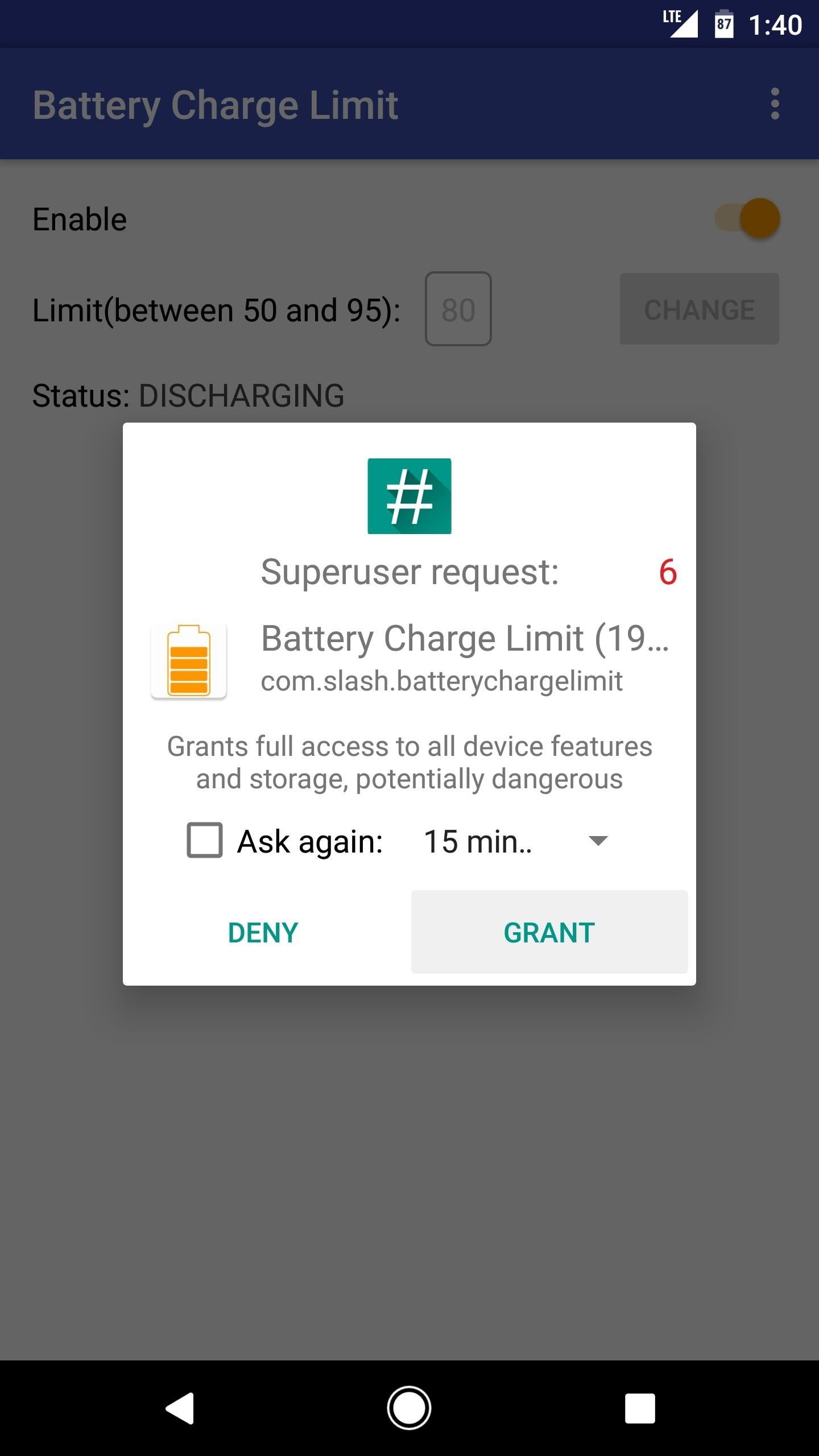
switch at the top of the screen, then Battery Charge Limit will ask for
Superuser access, so tap "Grant" on the popup. Once you're done there,
you're all set to go.
Step 4Enjoy a Healthier Battery
From
now on, you'll see an ongoing notification from Battery Charge Limit
whenever you connect your phone to a charger. This is the only time the
app runs in the background, so it doesn't have any impact on battery
life. Then, once your battery hits the desired threshold, charging will
immediately stop.
The app will keep the device from charging until
the battery level falls by 3%, at which point it will temporarily allow
charging again, then repeat this same cycle. Over time, this practice
should lead to a more healthy and longer-lasting battery.



Post a Comment